
 Post by
Running an ecommerce brand on TikTok in 2026? Multi-account tiktok management is your move because each handle gives you more testable surface area, faster feedback, and cleaner audience signals.
Get Multi-Account Help Today →, and geography (US, UK, and AU handles tuned to local slang, shipping notes, and holiday calendars). You can also split by buyer personas, such as budget shoppers who want bundles and hacks versus premium buyers who respond to ingredients and tests. Finally, many brands benefit from an objective split: a TikTok Shop handle oriented around offers and checkout, and a brand storytelling handle that prioritizes education and affinity.
For a neutral primer on the platform’s background, see TikTok on Wikipedia. Use it for context, not tactics. The tactics live in your data, segment by segment.
#Quick Recommendation for Ecommerce Brands
If your goal is to scale TikTok traffic without risking account instability, the safest approach is to start with 2–3 focused accounts, warm them properly, assign a unique audience to each handle, and track performance separately.
Brands that succeed with multi-account TikTok management usually separate accounts by audience segment, geography, or purchase intent rather than posting identical content across multiple profiles.
If you don't have the time or infrastructure to manage devices, account warm-up, posting schedules, and analytics internally, managed account services can help reduce operational complexity while keeping account activity consistent and compliant.
The rest of this guide walks through the exact setup, warm-up process, posting cadence, and measurement framework used by ecommerce teams in 2026.
Popular multi-account splits for ecommerce (quick ideas)
- Geography-led handles: US, UK, AU, CA variants tailored to slang, shipping cutoffs, VAT/GST messaging, and seasonality. Surface local holidays, price in local currency, and answer region-specific FAQs in comments.
- Buyer persona splits: “budget hacks” vs “clinical/proof-first” audiences. The budget feed leans into bundles, BOGO, and routines under $25; the clinical feed leans into ingredients, lab tests, and derm quotes.
- Objective split: a TikTok Shop handle focused on offers, demos, and checkout nudges; a brand/story handle optimized for education, community, and long-term demand creation.
- Lifecycle/use-case split: “new to retinol” vs “advanced routine optimizers,” “first-time moms” vs “busy pros,” or “gym skincare” vs “office skincare.” If the language, objections, and desired outcomes differ, consider a separate handle.
One handle, one promise. If a viewer can’t instantly tell who it’s for and what it does, the account will struggle to earn follows and clicks.
In Multi-Account TikTok Management, Audience Clarity Beats Virality
Signals you need a second handle include conflicting comments like “Why are you selling here?” versus “Where can I buy?”, mixed watch-time distributions across age or geo in analytics, and patterns where you see high saves but low clicks when you mix education and offers on one feed. If you notice any of these, create a new account with an explicit promise in the bio and a content plan that aligns with a single intent. The goal is to reduce noise so each handle pulls its ideal viewer closer to a clear conversion path.
The benefits of multiple handles show up fast: you’ll run faster learning loops per segment, enable safer experimentation without derailing your flagship account, and gain cleaner attribution to content types and angles. As the network matures, these learnings compound into stronger hooks, tighter offers, and a repeatable creative engine. That is the essence of multi-account tiktok management done well.
Mini case: two-handle split that unlocks signal
- Scenario: A skincare brand ran a single handle mixing ingredient education and Shop pushes. Saves were high, but link clicks lagged.
- Action: They split into “Brand_Edu” (myth-busts, routines, lab clips) and “Brand_Shop” (short demos, offer reveals, before/after).
- Result (60 days): +38% view-through rate on the education handle; +71% profile-visits-per-1,000-views on the Shop handle; 12.6% link clicks per profile visit on Shop versus 6.1% previously.
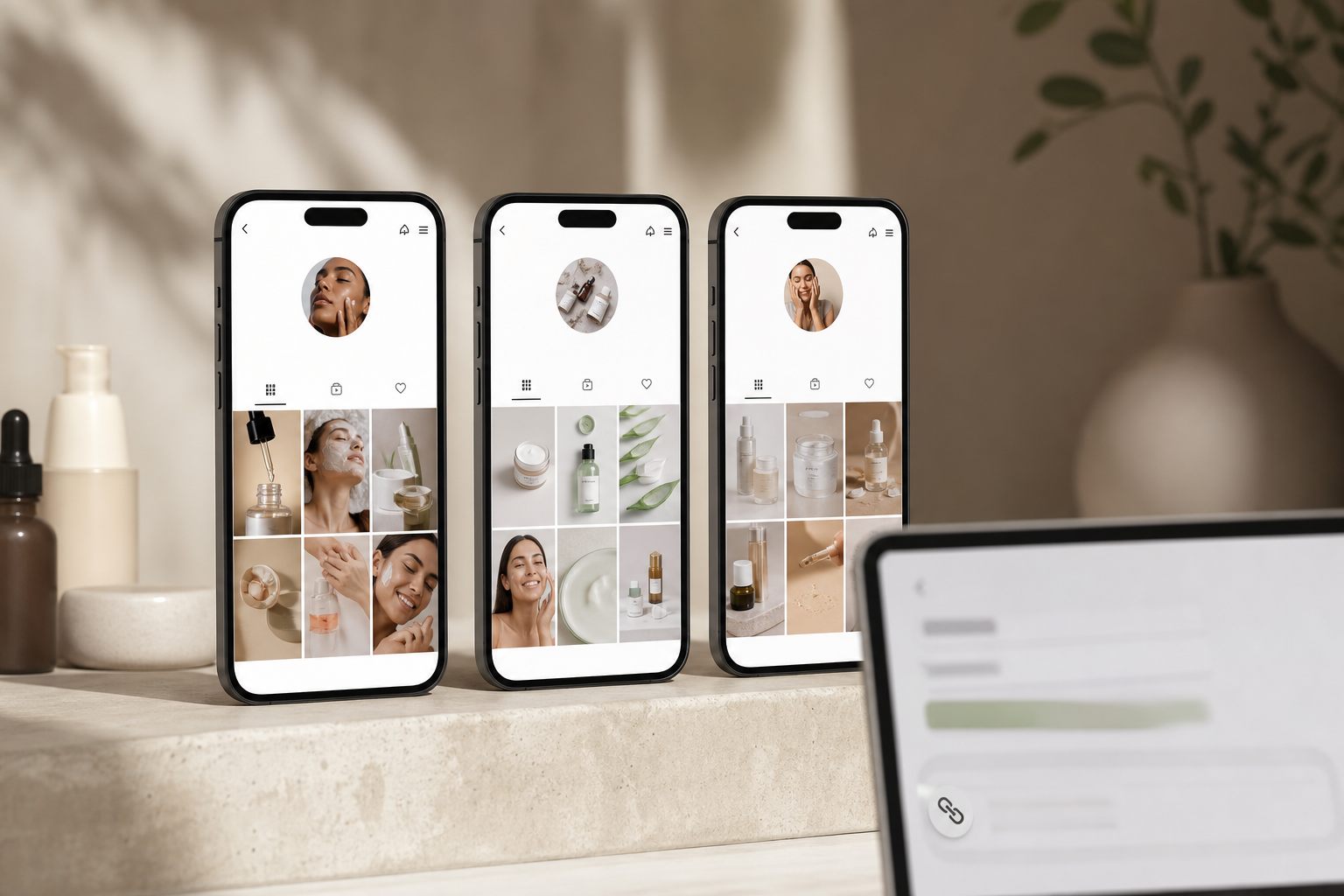
 each mapped to separate TikTok accounts with tailored hooks and CTAs; clean ecommerce brand aesthetic)
Also Read!
Course Creator’s Guide to Done-for-You TikTok Posting
Best Done-for-You TikTok Posting for Course Creators in 2026
Step-by-Step Framework for Multi-Account TikTok Management
Here is the exact 7-step method I use with ecommerce teams. Follow it in order. Skip nothing.
Preparation and Warm-Up for Multi-Account TikTok Management
Step 1: Audit Segments
- Audit segments
Start with your product catalog and real buyers. Map 2–5 distinct audience segments that each deserve a focused feed. For example: acne care, anti-aging, sensitive skin, and pro tips for estheticians.
If an angle needs a separate tone, it likely needs a separate handle. Multi-account tiktok management only works when each account has a sharp promise. Document each segment’s pain points, desired outcomes, phrases they use, and the creators they already follow. This becomes your content brief and comment-response library.
Tip: Pull 50 recent customer reviews per segment and highlight the exact phrases buyers use about results, textures, and objections. Those phrases become on-screen text and caption starters.
Deliverables from Step 1 (keep these in a shared doc):
- Segment one-pagers: audience, pains, desired outcomes, top creators followed, taboo words/claims.
- Hook hypotheses: 10 angles per segment mapped to products and desired actions (save, click, comment).
- Comment playbook: 20 pre-approved replies for FAQs and objections, written in segment-specific language.
- Creative guardrails: tone, do/don’t claims, color/visual motifs, and compliance notes (especially for regulated categories).
Step 2: Set Up Clean Devices, Numbers, and Emails
- Set up clean devices, numbers, and emails
Create each account on its own mobile device with a unique phone number and email. Do not share devices across fresh accounts. Shared device fingerprints, IPs, and cookies can link accounts and flag your network. Buy low-cost Androids or use older iPhones.
Keep one account per device.
-
Factory reset devices before use; sign in with a fresh Apple ID/Google account.
-
Use a dedicated SIM per device; avoid swapping SIMs across accounts.
-
Turn off address book sync and cross-account autofill; no shared password keychains.
-
Use a reputable password manager; one vault per brand ops team.
-
Keep Wi‑Fi stable and consistent per device; avoid rapid IP hopping during warm-up.
-
Name each device to match the handle (e. g., SKIN_ACNE_US_A1) for inventory control.
Device Hygiene Checklist
- Record device serial, model, OS version, and SIM ICCID in a central sheet.
- Assign an owner with backup coverage to every device.
- Set screen-time passcodes and disable unnecessary notifications to prevent accidental actions.
- Update TikTok app only during off-hours and after testing on a sandbox device.
Why device separation matters: TikTok continuously evaluates behavioral patterns, device fingerprints, and account linkages. Clean separation reduces correlated risk and keeps a policy incident on one handle from rippling across your network.
Step 3: Warm Up 7–14 Days Before Your First Campaign Post
- Warm up 7–14 days before your first campaign post
Spend 7–14 days “being a normal user” from each new handle. Follow 20–30 niche-relevant creators, watch 15–20 minutes daily, like and save a handful of posts, and write one or two genuine comments. Cold accounts get suppressed; warm accounts earn better initial tests.
For a deeper walkthrough, save this internal guide: How to Warm Up a TikTok Account for Affiliate Marketing. During warm-up, avoid posting links, mass-following sprees, or rapid-fire commenting in a single session. Keep behaviors human: space interactions out, keep geolocation consistent, and mix in non-promotional saves.
Warm-up do’s and don’ts:
- Do: Watch full loops on creators your audience already follows.
- Do: Comment with specifics (“Is that 2% salicylic?”) rather than generic praise.
- Don’t: Change device language, SIM, or IP mid-warm-up.
- Don’t: Paste the same comment on multiple videos.
Warm-up snapshot (example rhythm):
- Days 1–3: Follow 7–10 creators/day; watch 10–15 videos; 1–2 thoughtful comments.
- Days 4–7: Add 1 short, purely value-first clip; reply to 3+ comments on other creators.
- Days 8–14: Post 1–2 more non-sales clips; maintain daily watch and save cadence.
Step 4: Build an Account-Specific Bio
- Build an account-specific bio
Use a clear structure that spells out your value statement, audience signal, credibility, and one link. Your value proposition might read “Clear skin routines that don’t sting,” while the audience signal can be as explicit as “For breakout-prone teens and 20s.” Add credibility with a short proof line such as “Formulated with dermatologists,” and close with a single CTA, ideally one product quiz or Shop link that you can measure.
Keep emojis purposeful and the link singular. More paths = fewer clicks. Add relevant keywords to the handle and bio (“acne routines,” “anti-aging retinol,” “sensitive skin tips”) to increase searchability and to help TikTok’s semantic understanding.
Keep your URL UTM-tagged per account so you can attribute downstream events. Create a short-link convention per handle so you can rotate offers without breaking historical attribution.
One bio, one link, one clear promise. If you confuse, you lose—especially on short feeds.
Example bios to model: “Glow without guesswork. For vitamin C lovers and dull-skin fixers. ” “Breakouts to clear skin, step by step. Teens + 20s acne routines tested on sensitive skin.
” “Founder-led, lab-obsessed skincare. Ingredient truths, no fluff. ” Use these as inspiration, not scripts, and keep them specific to the segment that handle serves.
Bio checklist (fast QA before you hit publish):
- Value promise in 6–10 words, no jargon.
- Audience cue (“for teens,” “for sensitive skin,” “for budget shoppers”).
- Proof line (years, ingredient, clinical stat, press).
- Single CTA link with UTM: source=tiktok, medium=organic, campaign=handle_name, content=creative_id.
- Keyword seed in bio for TikTok search (“acne routine,” “retinol beginners,” “SPF tips”).
Publishing, Cadence, and Measurement in Multi-Account TikTok Management
Step 5: Test Small, Then Scale Winners
- Test small, then scale winners
Start with 2–3 accounts as your test bed. Publish 6–10 variants per hook or format across a week. Then expand only what hits retention and clicks.
Push winners to the rest of the network in week two. This “test small, scale winners” method reduces creative waste and spots angle fatigue before it hurts sales. Build your test matrix (hook x product x creator x length) in a shared doc and color-code winners so they’re easy to redeploy.
Pro tip: Save your top 5 winning hooks in a reusable swipe file per segment so new creators can re-record them without guesswork.
Sample test matrix entries might include: Hook “I stopped using harsh scrubs” paired with a gentle cleanser by creator Chloe at 12 seconds; hook “Derm says stop mixing these” with a retinol serum by creator Raj at 17 seconds; and hook “POV: Your acne clears in 7 days” with a spot treatment by creator Mia at 9 seconds. Treat each as a discrete test so you know whether it was hook, product, creator, or length that moved the metric.
What counts as a “winner” (working thresholds)
- Retention: 80%+ completion on sub-15s clips, or 55%+ on 20–30s clips.
- First-3-second hold: 65%+ viewed past 3s on most niches; higher for Shop-first handles.
- Profile visits per 1,000 views: 25+ as a strong curiosity signal; 40+ on education handles.
- Link clicks per profile visit: 10%+ baseline; 15–20% when offer-message fit is tight.
Step 6: Set a Ramped Posting Cadence
- Set a ramped posting cadence
Post 1 video per day per account for the first 30 days. After that, increase to 2–3 posts per day if quality holds. Quality means high first-3-second holds, 80%+ completion on sub-15-second clips, and comments that show purchase intent.
If quality drops, pause volume and fix hooks. Maintain consistent posting windows (e., 11 a. –1 p.
m. and 6–9 p. m. local) to train audience expectations, and rotate formats (demo, POV, stitch, testimonial) to fight creative fatigue.
Cadence guardrails are simple but strict: never sacrifice audio clarity, lighting, or first-3-second pacing just to hit volume; batch-produce B-roll cutaways so editors can vary visuals while keeping the same script; and rotate CTAs such as “save for later,” “comment a keyword,” “visit the bio link,” or “tap the Shop” so calls-to-action don’t go stale.
Suggested cadence by handle age (guideline, adjust to quality):
| Handle age | Daily posts | Primary goal | Backup task if quality dips |
|---|---|---|---|
| Days 1–30 | 1 | Establish signal and pacing | Record hooks; reply to comments |
| Days 31–60 | 2 | Scale winners, stabilize formats | Recut top 3 openers |
| Days 61–90 | 2–3 | Expand creator set, defend VTR | Audit bios/links, refresh offers |
Step 7: Track Per-Account Metrics in a Shared Sheet
- Track per-account metrics in a shared sheet
Measure each handle separately. Primary KPIs for ecommerce: view-through rate (watch time / video length), profile visits per view, and link clicks from the bio or Shop. Secondaries: saves, shares, and comment sentiment.
Keep naming clean: “SKIN_ACNE_US_A1”, “SKIN_ANTIAGE_US_A2”, “SKIN_BTS_US_A3”. Date-stamp all creative IDs to speed tests. Add UTM parameters per account and per creative (utm_source=tiktok&utm_medium=organic&utm_campaign=SKIN_ACNE_US_A1&utm_content=VID_2026-06-01_HOOK1) to unify platform and site analytics.
What “good” looks like early is directional rather than absolute: aim for steady week-over-week lifts in view-through rate, especially on the first three seconds; target more than 25 profile visits per 1,000 views as a strong curiosity signal in most niches; and try to exceed 10% link clicks per profile visit, which suggests offer-message fit on the profile.
Example optimization loop: in week 1, you might see low VTR but high profile visits, tighten hook pacing and add on-screen text. In week 2, VTR climbs but link clicks lag, rewrite the bio for clarity and test a quiz link. In week 3, clicks stabilize yet AOV is weak, swap the landing page offer so bundles outcompete single units and lift revenue per session.
Metric glossary (align on definitions):
- View-through rate (VTR): total watch time divided by total video length impressions; use per-video, per-handle rollups.
- Profile-visit rate: profile visits per 1,000 views; proxy for curiosity and handle promise clarity.
- Link CTR (profile): clicks divided by profile visits; proxy for offer-message fit.
- Save/share ratio: signal for long-term value; higher on education handles.
- Comment intent score: manual or AI-tagged comments that show purchase intent versus general praise.

Bio Template You Can Steal for TikTok Management
Think of your bio in four compact lines: Line 1 states what you help with (problem or desire), Line 2 clarifies for whom (persona or use case), Line 3 adds proof (years, ingredients, media mention), and Line 4 delivers a single CTA link (quiz, Shop, or landing page). This scaffold keeps the promise tight, signals who should follow, and prevents analysis paralysis from too many links. Even minor tweaks, like swapping a generic “Shop now” for a quiz link on education-first handles, can materially change click-to-purchase rates. Keep the four-line structure intact across every account so your team has a shared, testable template.
Moreover, set a 30-minute daily block for comments per account during weeks 3–6. Real replies raise trust and lift distribution.
Finally, keep all raw files organized by creative ID so you can swap hooks in minutes. Consider a shared asset library with folders for raw footage, captions, overlay text, and music IDs so any team member can produce on-brand variants fast.
Revisit bios monthly. Audience language shifts, offers rotate, and search keywords evolve—keep your promise precise and current.
 , and an example spreadsheet linking files to posts; minimalist workspace aesthetic)
Commenting SOP That Scales for Multi-Account TikTok Management
- Reply within the first 15–60 minutes after posting to boost early velocity.
- Pin the clearest buyer-enabling comment (e. g., sizing tip, ingredients callout, shipping info).
- Batch-save “snackable” replies as text snippets, but personalize the opener so they don’t feel canned.
- Turn FAQs into content: if three people ask the same question, record a stitch or quick explainer.
- Rotate commenters among team members to avoid one voice fatiguing the thread while keeping tone guides consistent.
Need Help Managing Multiple TikTok Accounts?
Building and maintaining a multi-account TikTok system requires device management, account warm-up, content testing, analytics tracking, and ongoing compliance monitoring.
If you want a structured approach without managing the operational workload yourself, consider a professional multi-account management service that can help you scale safely while protecting account health.
Also Read!
Best Done-for-You TikTok Posting for Ecommerce Brands in 2026
5 Mistakes Ecommerce Brands Make With Multiple TikTok Accounts in TikTok Management
Running multiple handles multiplies reach and risk. Here are the five misses I see most, plus fixes you can use today. Use this section as a checklist for your multi-account tiktok management routine.
- Posting the same video everywhere at once
- Problem: TikTok detects duplicates and suppresses copies.
- Fix: Recut the first 3 seconds, swap text overlays, change captions and music, and shift aspect-safe crops. Stagger posts by 24–72 hours across accounts. Also vary the call-to-action to match each handle’s promise.
- Skipping warm-up and blasting product promos
- Problem: New accounts without normal behavior get weak initial tests or shadowbans.
- Fix: Warm each handle 7–14 days. Watch 15–20 minutes daily, follow 20–30 creators, and post 2–3 non-promotional clips before your first push. Keep the first “sell” post educational: demo + outcome + objection handling.
- Using bots for views, likes, or comments
- Problem: Fake engagement sticks out. TikTok’s detection has improved and bans can be permanent.
- Fix: Keep all activity human and on real devices.
Train your team to reply fast in the first hour after posting. Quality beats quantity. If you can’t handle replies at scale, post less until you can.
- Copying one strategy across all accounts
- Problem: Identical angles and tones blur audience signals. The algorithm can’t tell who each handle serves.
- Fix: Give each account a distinct value prop, tone, and content map.
For instance, “budget hacks” vs. “clinical deep dives” vs. “founder storytelling”.
- Aggregating analytics across the whole network
- Problem: You can’t spot which segment converts. Budget allocation turns into guesswork.
- Fix: Track per-account VTR, profile visits per 1,000 views, and link clicks. Kill or pivot low-yield accounts after 45–60 days, and reassign their content to proven handles. Keep comments labeled by account to spot segment-specific objections you can handle in future videos.
Fix mistakes early. A clean network compounds results; a messy network compounds noise.
Quick Red Flags to Watch
- 0 link clicks on 1,000+ profile visits in 7 days
- Comments that say “what is this account about?
- Repeated “review in progress” notices on fresh posts
- A sudden drop in average watch time immediately after changing device, SIM, or IP
Fix-in-Place Playbook
- Duplicate detection? Recut the opener, swap music, and rewrite captions; repost 72 hours later.
- Weak warm-up? Pause posting for 48 hours; resume normal viewing + genuine comments; then restart with 2 value clips.
- Bot-tainted thread? Delete obvious spam, disable comments for 12 hours, and relaunch with a fresh post angle.
Also Read!
How to Test Video Hooks for Affiliate Marketing on TikTok and Reels
Tools and Services for Scaling Multi-Account TikTok Management Operations
You don’t need a bloated stack. You need a stack that matches your account count and goals. For 3–5 handles, basic tools are enough. For 20+ handles, you’ll need real infrastructure and clear multi-account tiktok management rules.
Lightweight vs Heavyweight Stack (At a Glance)
| Scale | Scheduling/Publishing | Analytics | Attribution | Ops Notes |
|---|---|---|---|---|
| 3–5 handles | Native TikTok + Later | TikTok native + Pentos | GA4 UTMs | One editor, one device per handle |
| 6–12 handles | Later/Hootsuite queue | TikTok native + Analisa. io | Triple Whale (starter) | Add QA checklist + posting Kanban |
| 13–20 handles | Loomly + device spot checks | Pentos + competitive trackers | Northbeam or Triple Whale advanced | Asset library + creator roster |
| 20+ handles | Dedicated ops team + on-device verification | Custom dashboard (Looker/Data Studio) | Multi-touch model blended with Shop data | Managed mobile fleet + incident logs |
Procurement and ops notes as you scale:
- Budget for devices/SIMs alongside creator fees; idle devices are cheaper than lost momentum.
- Standardize naming across tools (Loomly, spreadsheets, password manager) to avoid mismatches.
- Create a “sandbox” handle-device pair for app updates and risky experiments before network-wide changes.
Scheduling and publishing for multi-account TikTok management
Later, Hootsuite, and Loomly can queue posts across accounts. Note: TikTok’s API still limits some features (like certain audio and duets). Always sanity-check drafts on-device before publish. Keep a “ready, queued, published” Kanban so nothing slips and so time slots don’t collide across handles.
Publishing QA checklist (run in under 3 minutes):
-
Watch the first 3 seconds twice, does the hook land without text cutoff? 2) Subtitles on, no typos; text safe areas respected. 3) Sound: legal-safe, volume balanced; no clipping. 4) Caption: includes 1–2 keywords and a single CTA aligned to handle promise.
-
Cover frame recognizable; avoids faces cropped by grid. 6) Correct handle and UTM short link verified. 7) Pin-first-comment drafted if needed (sizing, ingredients, shipping).
Analytics and tracking for TikTok management
Use TikTok’s native analytics for watch time and audience data. Add Pentos or Analisa. io for competitive tracking and hashtag research. Keep a spreadsheet as your source of truth for account-level KPIs. Align attribution windows across tools and build a simple weekly reporting ritual: top 5 posts, top 3 hooks, top 2 comments with purchase intent.
Weekly analytics ritual (60 minutes, repeatable):
- Pull per-handle KPIs into your sheet; highlight green/red deltas week over week.
- Clip and file the top 3 openers; add to the segment’s swipe file.
- Read 20 recent comments per handle; tag intent objections for future content.
- Update a “killed tests” tab so the team doesn’t repeat dead angles.
- Decide 1–2 tests to start, 1–2 to stop, and 1 to scale next week.
Content creation at scale for TikTok ecommerce management
CapCut speeds batch edits and split-tests on hooks. Canva helps with thumbnails and text overlays. If you test AI avatars for UGC-style content, mix them with real faces so the feed doesn’t get stale. Maintain a roster of creators per segment to ensure diversity of voices and consistent availability.
UGC brief skeleton (share with creators):
-
Objective: what this clip must achieve (save, click, Shop add). – Audience: who it’s for, in plain language. – Hook menu: 3 optional openers to record. – Proof points: ingredient, clinical note, or testimonial line.
-
Visuals: 2–3 B-roll inserts (texture swipe, before/after, routine shelf). – CTA: exact phrasing matched to handle promise. – Compliance: do/don’t claims, required disclosures.
Managed account services for multi-account TikTok management
If you’d rather not build device farms or run warm-ups in-house, services like Social Reel Farm operate 1,000+ manually managed mobile accounts with structured warm-up, systematic hook testing, data-led posting, and zero artificial engagement. Treat this as an option if you plan to manage 20+ handles or need human-operated devices across regions. Ensure any provider documents device provenance, warm-up logs, and posting SOPs.
Caution: Avoid providers that promise guaranteed virality or sell “aged” accounts with unclear provenance. Risk transfers to you if those accounts are linked to policy violations.
Attribution in multi-account TikTok management
Triple Whale or Northbeam can help you see which accounts drive add-to-carts and revenue. Use first-click models for brand storytelling handles and last-click models for Shop-focused handles to compare impact. Tag every bio link uniquely per handle and rotate landing pages to reduce bounce and improve relevance.
Handle type vs measurement model (cheat sheet):
| Handle type | Suggested attribution view | Primary KPI | Secondary KPI |
|---|---|---|---|
| Story/Education | First-click, view-through assist | Saves, VTR, profile visits | Influenced revenue |
| Shop/Offer | Last-click, click-through | Link CTR, add-to-cart, revenue | Comments with purchase intent |
| Community/Support | Blended (NPS + assisted revenue) | Response time, sentiment | Repeat purchase rate |
 , analytics (TikTok native, Pentos), attribution (Triple Whale/Northbeam), and a shared spreadsheet as the source of truth; modern SaaS aesthetic)
**Book a Multi-Account Audit →.
90-Day Rollout Checklist for Multi-Account TikTok Management (Example)
-
Days 4–14: Warm the account. Follow 20–30 relevant creators, watch 15–20 minutes daily, and leave 3–5 real comments per day. Post 2–3 non-sales clips that give value.
-
Day 14: Publish your first product-led video. Track 3 metrics for 72 hours: VTR, profile visits, and link clicks.
-
Day 15–30: Maintain 1 post/day. Test 6–10 hooks. Pause what underperforms after 3 tries. Keep warming behaviors alive (watch, comment, reply).
-
Day 31–60: Scale to 2–3 posts/day if quality holds. Launch your second or third account with the same warm-up rhythm. Cross-post only proven winners after recuts to protect each handle’s signal.
-
Day 60–90: Review per-account data. Keep the handles that convert. Sunset or repurpose the ones that don’t. Archive learnings in a central doc and reassign creators to the segments with momentum.

Metrics to Watch in Multi-Account TikTok Management
- View-through rate (aim to improve week over week)
- Profile visits per 1,000 views
- Link clicks per profile visit
Most ecommerce brands see meaningful signal by day 60–90 if they keep the warm-up and testing cadence. This is a system, not a trick. Patience compounds here. Add a weekly retro with the team: what we tried, what worked, what to try next, and what to stop. Small, steady improvements to hooks and structure usually outperform big swings.
Early benchmarks by niche (directional only):
- Beauty/skincare education: VTR 35–55%, saves/share high, slower link clicks until offer fit.
- Beauty/skincare Shop-first: VTR 25–40%, profile visits 20–40/1,000 views, link clicks 10–20% of visits.
- Apparel: faster peaks and drops; watch duplicate detection and recut openers aggressively.
Treat every week like a science sprint: a clear hypothesis, a controlled test, and a short retro to compound wins.
Governance and Access Control for TikTok Management (Don’t Skip)
- Role-based access: Keep creator logins separate from owner/admin logins. Use TikTok’s Business Center where applicable to assign rights without sharing primary credentials.
- Two-factor authentication: Enforce 2FA on every handle and store backup codes in your password manager vault with restricted visibility.
- Device provenance: Maintain an inventory sheet noting purchase date, SIM ICCID, device ID, and assigned handle. If you retire a device, factory reset and retire the SIM; don’t recycle it across new accounts.
- Content approvals: Create a lightweight, same-day approval flow for regulated claims (e. g., skincare, supplements). A 30-minute delay beats a takedown that throttles a young account.
- Incident playbook: If an account gets flagged, pause posting for 24–48 hours, resume normal viewing/commenting behaviors, and escalate only once. Document the incident so patterns are visible across the network.
Access model example (simple and safe):
- Owners: finance + brand lead (2 people) with recovery codes.
- Managers: ops + head of content (2–3 people) with publish rights.
- Creators: “post as draft” only; managers review and publish.
Extra Creative Systems That Help You Scale Multi-Account TikTok Management
- Hook lab: Record 10 hook variations in one session per product line. Deploy 3–4 across your test accounts, hold 6–7 for later to mitigate fatigue.
- Format calendar: Rotate 5 reliable formats weekly—demo, stitch a testimonial, myth-bust, routine breakdown, and price/offer reveal—so you learn which formats win by segment.
- Caption bank: Pre-write 50 captions tagged by segment, pain point, and CTA type (soft, medium, hard). This keeps cadence high without sounding repetitive.
- Music/legal hygiene: Maintain a shared sheet of safe-to-use sounds. If a sound gets muted on one handle, note it and avoid it network-wide.
- Creator sourcing: Maintain an always-on pipeline of 10–20 micro-creators per segment; test them on storyboard adherence and audio quality before scaling.
Mini FAQ for Ecommerce Teams on Multi-Account TikTok Management
How many accounts should we start with? Start with 2–3 focused handles you can manage well. Add more only when replies and QA stay strong as you scale volume. Resourcing determines your ceiling more than ideas do, so plan creator bandwidth before spinning up additional handles.
Should we split by geo or product line first? Split by product line if your audience pain points differ more than logistics. Split by geo if slang, shipping realities, and holidays drive most of the friction. Many brands do both over time, but begin where signal-to-noise will be cleanest.
Does duplicating content hurt? Duplicates posted simultaneously will underperform. Re-record or meaningfully recut the opener, change overlays, and stagger postings. If you must reuse, treat it like a fresh creative with a distinct hook and post time.
FAQ tip: Document each decision—why you split a handle, which hooks you reused, and how you recut them—so future tests don’t repeat old mistakes.
TikTok Shop vs website link in bio? Use Shop-first on sales-forward handles. Use a quiz or educational page on flagship/story handles to warm intent, then retarget with Shop. Both can work, but the handle’s promise should dictate which path you emphasize.
Do we need a new pixel per handle? Keep one pixel per domain but segment UTMs rigorously and use analytics tools to tie handle → session → purchase. Organize naming so finance can map revenue back to the right content cluster without guesswork.
When not to add another account (even if tempted):
- Your team can’t reply within 60 minutes of posting on current handles.
- You don’t have a distinct promise or audience for the new handle.
- You lack 10+ fresh hooks and at least 2 creators to sustain the feed for 30–60 days.
Key Takeaways for Multi-Account TikTok Management
- One handle = one test per post; more focused handles multiply your shots and clean up targeting.
- Warm every new account 7–14 days with real, on-device activity before you sell.
- Test hooks on 2–3 accounts first, then roll winners to the full network.
- Track VTR, profile visits, and link clicks per account; kill or pivot low-yield handles after 45–60 days.
- Match your tool stack to your account count; add managed devices only when you outgrow in-house capacity.
**[Get a Structured Warm-Up Plan →]