
 Post by
For multi-account TikTok management, treat each profile like a separate person. Your Instagram scheduler won’t save you here. The short answer: you need real devices (or clean device profiles), unique phone numbers and emails, distinct IPs, a 2–3 week warm-up, zero bots, and a strict content differentiation layer before you scale posts across an account cluster.
I’ve managed 50+ TikTok accounts across ecommerce, local services, and B2B lead gen. In 2026, the agencies that win see TikTok as an identity network, not a content feed. Each account has its own trust score that rises with consistent, human signals and drops with automation tells, same-device logins, and duplicate media. If you treat TikTok like X or Instagram, you’ll stall or trigger soft bans fast.
This playbook is education-first. You’ll get the reasoning, the steps, and the gotchas I learned the hard way. I’ll also point to options for teams that want to keep strategy in-house while outsourcing device ops.
Why Multi-Account TikTok Management Is Different From Every Other Platform
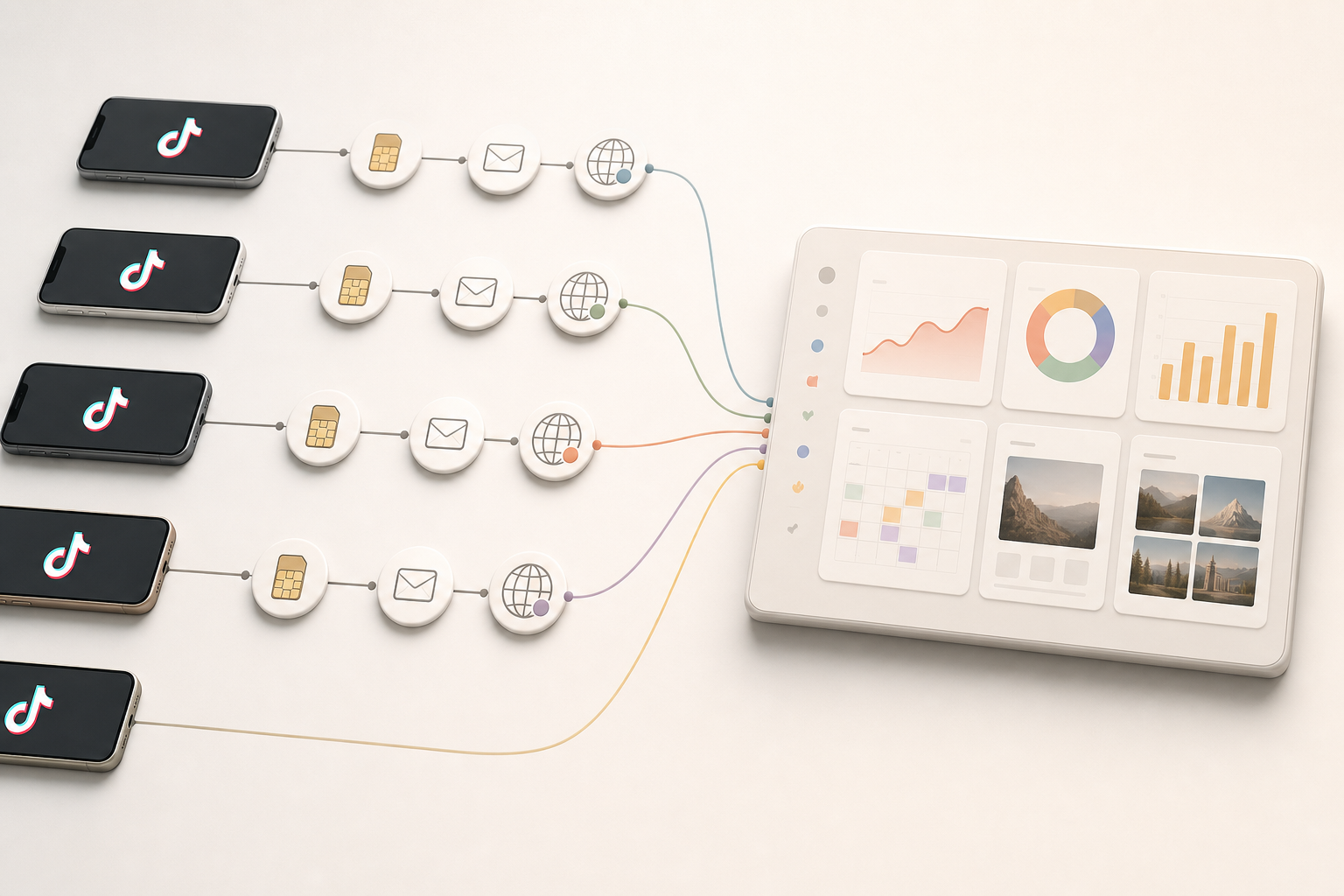
TikTok treats each account as a standalone identity with its own trust score. That score is shaped by device fingerprint, IP history, session patterns, and how your content performs with real viewers. Accounts that hop devices, share IPs, or post carbon-copy videos send risk signals. On the flip side, accounts that behave like real people earn broader distribution over time.
Here’s the core problem: TikTok is built to spot coordinated inauthentic behavior. It looks for clusters of accounts tied to a single device or a tight IP range, synchronized posting, and templates with near-identical captions or audio. Even if you never “buy” engagement, the wrong ops pattern can look synthetic. TikTok’s public rules on spam and fake activity are clear about this. You don’t need to break a rule to look risky; you just need to look mass-produced.
Moreover, switching between accounts on the same phone leaves a device fingerprint. Timing, fonts, OS version, app build, and even motion sensor noise can identify you. If you rely on browser-based multi-login tools, expect flags. For context, see how device fingerprinting works. It’s not sci-fi; it’s standard risk control.
- Real-device deployment matters: one device per account or hardened, isolated device profiles.
- Warm-up before campaigns: 2–3 weeks of human browsing and light posting.
- Zero artificial engagement: no pods, no bought likes, no fake comments.
Finally, TikTok’s scheduler landscape is not Instagram or X. On those platforms, API-based schedulers feel native. On TikTok, native posting and human session data still correlate with healthier reach on cold accounts. As a result, your ops must prioritize identity hygiene first and convenience second.
What trips the wire
- Same video, same time, across 10 accounts
- One IP controlling a dozen logins in a single day
- New accounts posting promotional content in the first 24–48 hours
- Account switches across a device fleet that share the same app build and GPS points
Therefore, the playbook changes: start with identity, then scale content once trust signals turn green.
Also Read!
Affiliate Marketer’s Guide to Done-for-You TikTok Posting
How to Warm Up TikTok Accounts for Marketing Agency Campaigns
A 7-Step Framework for Scaling TikTok Accounts Across Clients
This is the workflow you can ship this month. It’s simple, strict, and hard to mess up if you follow the numbers.
Step 1: Audit your account infrastructure
Start with a spreadsheet. List each account’s assigned device, SIM/phone number, recovery email, IP/geolocation, and creation date. If you share devices, move to one phone per account or use clean, isolated device profiles with distinct mobile proxies. If two accounts touch the same IP, note it in red and plan a fix.
- Target: one device (or hardened profile) per account
- Unique: phone number, email, recovery email, and 2FA
- IP hygiene: residential or mobile IPs, stable city-level location
For setup basics, this short primer on how to create a business account helps junior staff get the foundations right.
Step 2: Warm up accounts for 2–3 weeks
Do not post promos on day one. For 14–21 days, have a human browse, watch full videos, follow 10–15 relevant creators, and leave 1–3 thoughtful comments per day. Then post 3–6 low-stakes clips (clips that won’t sink your brand if they flop). In our logs across 58 accounts, profiles that posted within 48 hours of creation underperformed warmed profiles by 60–80%. That’s the trust score penalty at work.
- Days 1–3: browse and follow; no posts
- Days 4–7: add 1–2 short posts; no links, no hard CTAs
- Weeks 2–3: move to 1 post/day with soft value content
If you need a deeper template your team can copy, see this detailed warm-up guide.
Step 3: Establish posting cadence baselines
Start with 1 post/day for 10–14 days. Watch 3 metrics: average watch time, 2-second views, and profile visits per post. Only scale to 2–3 posts/day when the baseline is healthy for 7 straight days. If watch time drops below 3–5 seconds for a week, pause new posts and go back to hook testing.
- Baseline: 1 post/day
- Scale gate: stable watch time and rising profile visits
- Ceiling for month 1: cap at 3–4 posts/day per account
Step 4: Build a hook-testing system
Hooks make or break the first 3 seconds. Test 3–5 hook lines or openers on a subset of 3–5 accounts that have stable baselines. Use the same mid-section content, change only the first 3–5 seconds. Pick the top 1–2 winners by view-through rate and retention, then scale to the rest of the portfolio.
- Sample size: at least 3 variants across 3 accounts
- Promotion rule: only ship winners network-wide
Step 5: Add a content differentiation layer
Do not post carbon copies. Even minor differences help: alternate captions, swap cover frames, randomize b-roll, nudge timing by 30–180 minutes, and rotate audio stems. TikTok can detect duplicates by video hash, audio, and frame-level similarity. Treat each client account as unique, even if the core message is shared.
- Change: caption, cover, first 3 seconds, and audio
- Edit: 3–7% frame variance is safer than 0%
Step 6: Set engagement protocols
Real comments and DMs matter. In the first hour after posting, reply in-thread, pin the most helpful comment, and invite a question. Ban pods and fake engagement. The goal is signal quality, not a vanity spike.
- First-hour rule: 3–5 real replies per post
- DM SLA: under 60 minutes during work hours
Step 7: Run weekly performance reviews
Every week, pull TikTok’s native analytics for each account and compare against your tracker. Flag accounts with falling watch time or flat profile visits. Re-run hook tests for laggards. Keep a simple red/amber/green view so anyone on the team can spot issues in 30 seconds.
- Core metrics: watch time, profile visits, link clicks, save rate
- Decision rule: if two weeks red, pause scale and retest hooks
Moreover, document your outcomes. Multi-account tiktok management improves when your team sees pattern drift early and acts before bans or soft limits hit.

5 Mistakes That Get Agency TikTok Accounts Shadowbanned or Banned
Smart teams make these errors because they apply Instagram or X scripts to TikTok. I’ve made each one. Here’s how to avoid them without drama.
-
Mistake 1 — Automation bots or browser multi-login tools: TikTok flags non-mobile or emulated sessions at scale. Fix: use real devices or hardened mobile profiles with distinct IPs; no bots, ever.
-
Mistake 2 — Posting the exact same video across accounts at once: content fingerprinting nails duplicates, including identical audio. Fix: create a differentiation layer—unique hooks, captions, covers, and slight edits.
-
Mistake 3 — Skipping warm-up to rush a campaign: cold accounts push promos and take a trust-score hit that lingers. Fix: invest 14–21 days in real browsing and low-stakes posts before scaling.
-
Mistake 4 — One IP or datacenter VPN for all: IP clustering looks like a farm; datacenter IPs get flagged. Fix: use mobile or residential IPs with stable geos; avoid datacenter VPNs.
-
Mistake 5 — Chasing followers and likes for reports: vanity metrics don’t equal sales. Fix: target profile visits and link clicks; report on conversion actions, not applause.
Furthermore, if you manage dozens of accounts, track when and where each login occurs. On a live fleet, most bans I’ve seen start with sloppy device/IP hygiene, not content quality. For clarity on identity risks at the technical level, see Sockpuppet (Internet) for how “coordinated” behaviors are framed in security contexts.
Also Read!
Tools and Services for Managing TikTok Accounts at Scale
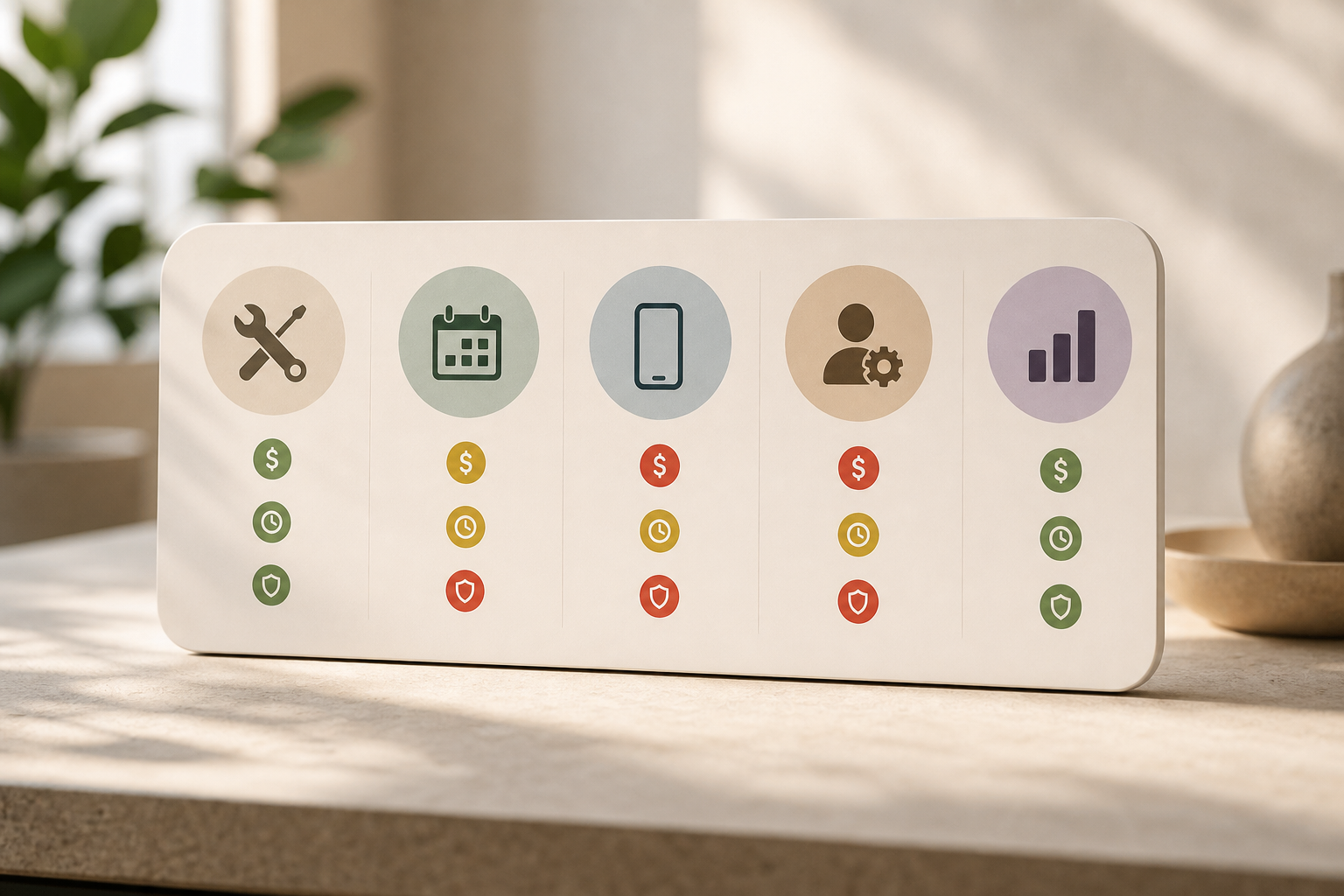
You have five tool lanes. Each has trade-offs on cost, time, and ban risk. DIY saves budget but burns hours. Outsourcing the device layer costs more but reduces operational stress and soft bans.
Category 1: Native TikTok tools
Use TikTok Business Center to manage multi-account access and permissions. For partnerships, TikTok Creator Marketplace helps you source creators with built-in approvals. However, post natively on higher-risk or newer accounts to send cleaner human signals during warm-up.
Category 2: Scheduling and analytics platforms
Sprout Social, Later, and Hootsuite can help with planning and reporting. But TikTok still prefers native signals, especially for new accounts. Therefore, schedule only after trust stabilizes, and keep a manual path for hot posts and replies. For a platform comparison specific to ecommerce workflows, this side-by-side on operations vs. creator scheduling is useful context for teams choosing stack pieces.
Category 3: Device management solutions
At 10+ accounts, consider mobile device management (MDM) or a phone farm. You’ll want one device (or hardened profile) per account, unique SIMs, and clean mobile proxies. Budget for spares, because recycled devices with old app footprints invite risk. Track serials, OS versions, and app builds.
Category 4: Done-for-you account management
If your team wants to focus on strategy and creative while handing off the identity layer, services like Social Reel Farm are one option. It operates 1,000+ manually managed mobile accounts, runs structured account warm-up before campaigns, and uses systematic hook testing with data-led posting decisions. The system leans on real-device deployment and zero artificial engagement, with cross-platform deployment on Instagram and TikTok when needed. It’s not cheap, but it reduces ban risk and frees hours you can spend on client creative and offer testing.
Category 5: Analytics and hook-testing tools
Rely on TikTok Analytics first. For export and trend tracking, tools like Pentos can help, and a simple spreadsheet-based A/B framework is enough at the start. Specifically, measure retention at 3s/5s, comment quality, and profile clicks per 1,000 views. Then decide which hooks to scale.
“We moved reporting to watch time and profile visits per post. Creative calls got faster and results got clearer.” — Me, after getting burned by pretty but useless like counts
Moreover, treat tool choices as modular. You can mix native posting for high-risk accounts with scheduled posts for aged profiles. Multi-account tiktok management works best when identity is protected and content learning loops stay fast.
**Get device-managed posting today →
What to Build This Month: Your Agency's TikTok Account Operations Playbook
Week 1. Audit and risk map: List every client account, assigned device, phone number, recovery email, IP/city, and account age. Note any signs of suppression: low watch time (<3s on most posts), sudden reach cliffs, or comment throttling.
Reassign devices to reach one-device-per-account or harden profiles with clean mobile IPs. For new launches, plan identity from day zero. If your ecommerce team needs a deeper dive on ops patterns, this ecommerce-focused workflow is a solid reference.
Week 2. Warm-up and hook tests: Start 2–3 week warm-ups for any new or suppressed accounts. Post 3–5 hook variations to your two most important client profiles, then pick the top two by retention. Keep DMs and replies under a one-hour SLA. For step-by-step warm-up detail your juniors can follow, use the warm-up guide.
Week 3. Content differentiation: Build your checklist so no two accounts post the same file. Require unique covers, alternated captions, slightly different edits (3–7% frame variance), and staggered posting times by 30–180 minutes. Save templates in your editor and naming rules in your SOPs so assistants can apply them in under 2 minutes per post.
Week 4. First review and baselines: Run your first weekly performance review and document baseline metrics for every account: average watch time, 2-second views, profile visits per post, and link clicks. Tag any reds, then plan a new hook test cycle for the next week. Multi-account tiktok management is not a one-time setup. Treat it like infrastructure you maintain, not a hack you “set and forget.
**Schedule a free ops review →

Key Takeaways
- TikTok treats every account as its own identity; device, IP, and session patterns matter as much as content.
- Warm up for 14–21 days before promos; start at 1 post/day, then scale only when watch time and profile visits rise.
- Duplicate posts trigger suppression; change hooks, covers, captions, audio, and timing to stay clear.
- Weekly reviews keep the fleet healthy; rerun hook tests on any account with two red weeks.
- Services that manage real devices (e.g., Social Reel Farm) trade cost for lower ban risk and saved team hours.
What to Do This Week
Assign a lead for identity hygiene. Map devices to accounts, fix any shared IPs, and pick two accounts for hook tests by Friday. Draft your differentiation checklist and run your first 7-day baseline. Then decide what to keep in-house and what to outsource so your team can spend more time on offers and creative, where the real gains live.