
 Post by
**Get multi-account testing today →
Most course promos fail because you test one hook on one video, then quit. If you use ai ugc videos, you can spin up 20+ variations in a day and find a winner without blowing your budget. You do it by scripting tight 30-second clips, generating realistic avatar reads, and A/B testing hooks until watch time and clicks climb. I’ll show you the exact process I use in 2026, where the tools are finally good enough for paid and organic tests.
Here’s the answer first: make many good-enough ads fast, not one “perfect” ad slow.
Why does this work for you as a course creator? Your unit economics demand high-volume creative testing. Traditional UGC creators charge $150–$500+ per video and need a week or more per round. You need to test hooks, intros, and CTAs at scale. AI lets you do that for a fraction of the cost and time, so you can put more swings on the board and spot what sticks.
Moreover, AI UGC now gives you usable lip-sync, stable voice clones, and avatars that pass the scroll test on TikTok, Reels, and Shorts. It’s not flawless. But it’s good enough to earn the first three seconds, which is where you win the view.
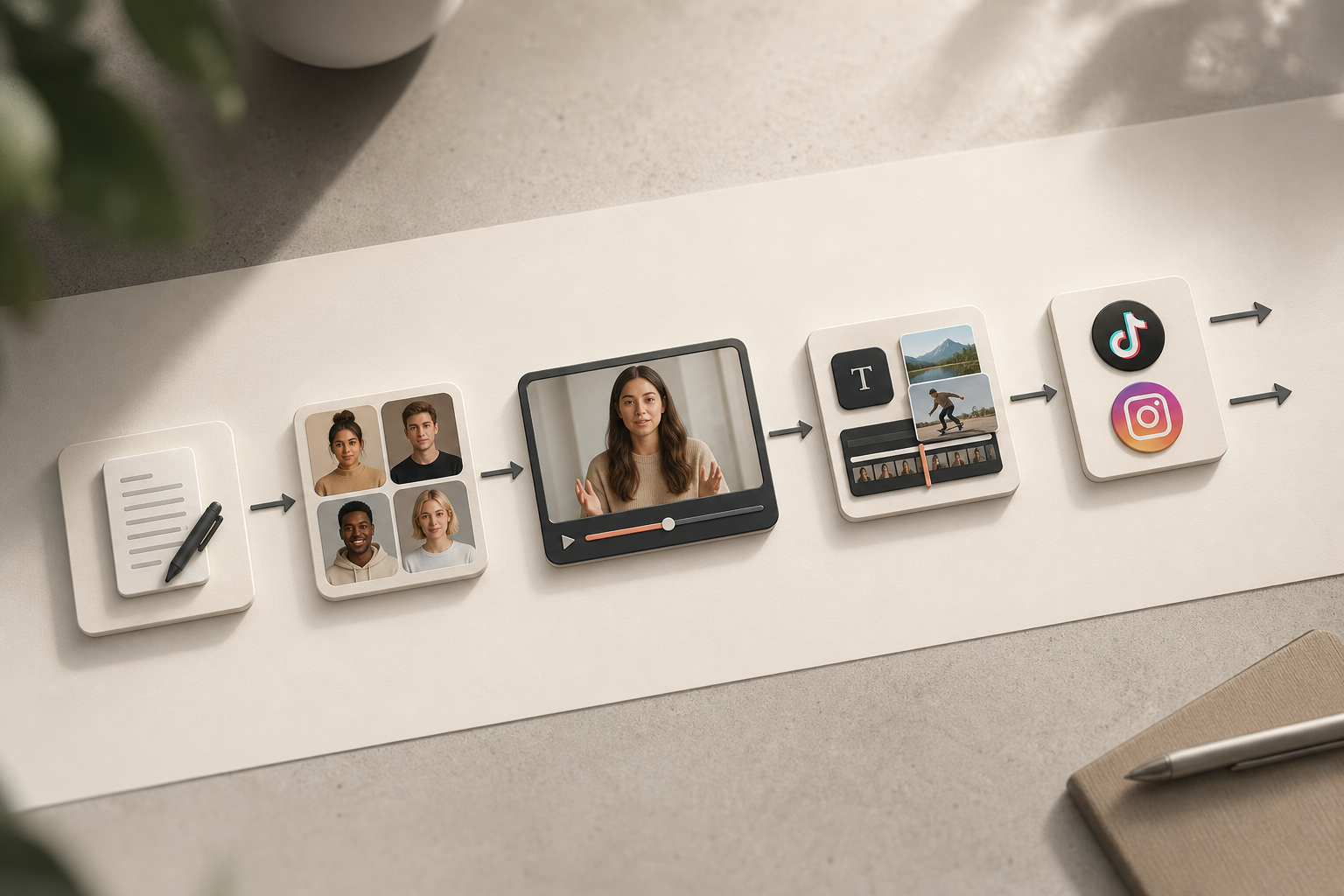
Why AI UGC Video Is a big improvement for Course Creators
AI UGC video means short, social-native clips where an on-screen “person” (AI avatar or cloned voice over b-roll) talks like a peer, not a brand. For course creators, it matters because you sell belief before content. Your buyer needs to hear a hook, feel seen, and click.
Traditional studio promos look slick but feel like ads. Human UGC feels real but is pricey and slow.
AI UGC sits between: fast, testable, and cheap enough to try a lot of ideas.
Here’s the blunt math: hiring UGC creators at $150–$500+ per video adds up fast, and most first drafts miss. That cost blocks you from running the 10–20 variations you need to learn. With AI, you can create those 20 variations in a single afternoon and still have budget left for traffic. That’s where scale lives.
Economics in Plain Terms
- Traditional UGC: $150–$500+ per video, 5–10 days turnaround, limited reshoots
- Studio promo: $1,000+ for a polished piece, slow iteration, low “native” feel
- AI UGC: same-day output, near-zero reshoot cost, easy to localize and personalize
Current Tech Quality (2026)
In 2026, lip-sync is solid at standard speeds, and voices have passable warmth. You’ll still see minor uncanny tells in extreme close-ups and fast mouth shapes. However, mid-frame talking heads with smart b-roll look natural.
Be mindful of platform scrutiny. Some ad reviewers flag obvious avatars, and policies can evolve. When in doubt, test in organic first, then move to paid.
Where It Falls Short
- Emotional depth: real student stories still beat avatars for testimonials.
- Subtext and micro-expressions: avatars are better than 2024, but not human.
- Platform policies: your ads may get a closer look; keep claims clean and verifiable.
For a concrete picture, imagine you sell a $297 productivity course. You need 20 AI UGC variations to test across TikTok and Instagram. You try five hooks, two avatars (one calm, one high-energy), two backgrounds, and two CTAs. You’ll find a keeper faster than waiting two weeks for a single human UGC round.
Also Read!
Social Reel Farm vs Arcads for Course Creators: Which Is Better for AI UGC Video Creation?
Step-by-Step: Creating AI UGC Videos That Actually Convert for Your Course
You’ll get results when you treat this as a testing loop, not a one-off asset.
The script beats the avatar every time.
Plan and Script
-
Define the buyer and the objection
Write to one person. Example: “Busy solo founder, 28–40, works late, hates bloated to-do apps.” Pick one hard objection to tackle: “Is this course worth $297?” or “Will I stick with it? -
Write the script (Hook → Problem → Agitate → Solution → CTA)
-
Hook (0–3s): pattern break. Call out the pain. – Problem (4–8s): name the stuck point in plain words.
-
Agitate (9–14s): show the hidden cost (time, stress, missed income). – Solution (15–24s): one clear win your module delivers. – CTA (25–30s): one action and one incentive.
Script Template You Can Paste
- Hook: “If your to-do app takes longer than your tasks, watch this.
- Problem: “You plan all day and still feel behind by 5 pm.
- Agitate: “That lag costs you hours a week and kills momentum.
- Solution: “In Module 2, I show a 3-step daily reset that clears your plate in 10 minutes.
- CTA: “Grab the first lesson free today. Link in bio.
Produce and Iterate
- Choose your AI avatar
Match the person your buyer trusts. Age, vibe, and pace matter. For B2B, try calm and direct.
For creator buyers, try higher energy and casual dress. Test a voice that sounds like a peer, not a radio ad. Keep shots mid-frame to avoid uncanny edges.
- Generate the video in your AI tool
- Aspect ratio: 9:16 for TikTok, Reels, Shorts. – Pacing: 140–160 wpm is a safe range for 30 seconds. – Background: simple room or blurred desk.
Avoid green-screen gags unless it fits the niche. – Eye line: set the gaze to camera. Add light movement to feel alive.
-
Add captions, b-roll, and a clear CTA overlay
Burned-in captions lift view time for silent autoplay. Use 1–2 b-roll cuts: your course dashboard, a checklist, a calendar. Add a CTA lower-third by second 18. Keep it short: “Free first lesson, link in bio. -
Export multiple variations
Change the hook. Change the first b-roll cut. Try a different CTA. Change avatar energy. Save each as its own file to track. -
Publish and test with intent
Post each variation across the same windows and track watch-through and clicks. Note which hooks hold the first three seconds. Then double down on the top two and spin three more variants of those. For clean comparisons, keep one change per version, classic A/B testing.
30-Second Promo Mini-Template (Paste-Ready)
- 0–3s: “Your to-do list is not a trophy. Finish more by noon.
- 4–8s: “If you plan for 30 minutes and drift by 2 pm, this is for you.
- 9–14s: “That drift adds a full day of lost work each week.
- 15–22s: “In my course, Module 2 shows a 10-minute reset that locks your next move.
- 23–30s: “Try the first lesson today. If it doesn’t save you an hour this week, skip the rest. Link in bio.
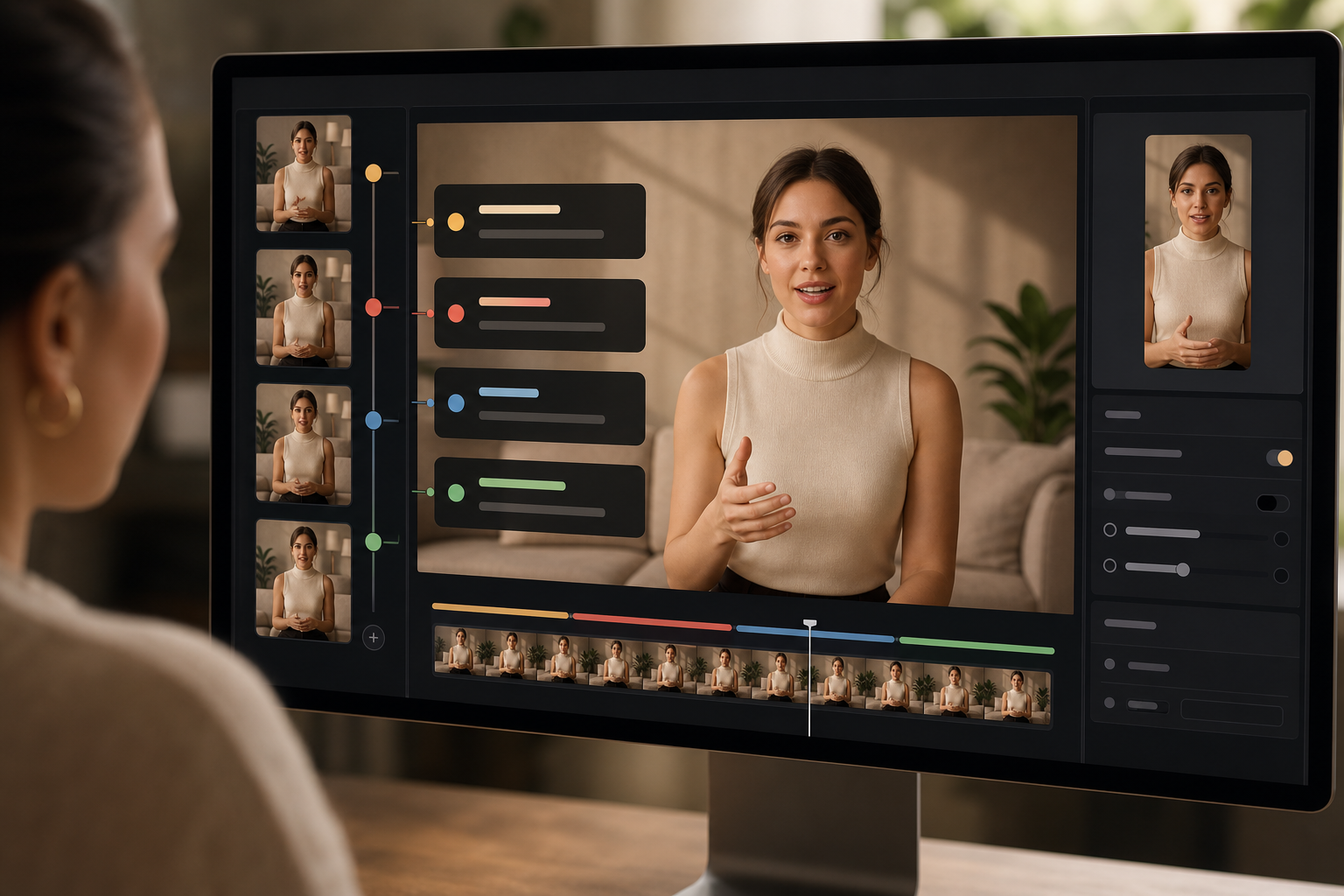
5 Mistakes Course Creators Make with AI UGC Videos
Mistake 1: Using AI UGC at the wrong funnel stage
AI avatars can spark awareness and clicks for cold traffic. However, bottom-of-funnel proof still leans on real students. Use authentic student wins for testimonials and sales pages. Keep AI UGC for hooks, demos, and objection handling.
Mistake 2: Skipping hook testing
Most creators post one video, see flat views, and stop. You need at least 5–10 hook variations before you can call it. Hooks swing your 3-second hold rate more than any edit tweak. Script five cold opens before you even pick an avatar.
Mistake 3: Selling features, not change
“12 modules, lifetime access, 6 bonus PDFs” is noise. Talk about the change your student will feel on day three. Show the dashboard only as proof that the path is real. Lead with the one action your lesson unlocks.

Mistake 4: Ignoring platform format cues
- TikTok likes quick cuts and a “shot on phone” feel.
- Instagram Reels rewards clean captions and on-brand polish.
- YouTube Shorts pushes value density; fewer memes, tighter points.
Mistake 5: Posting from a cold account
If your account is brand new or dormant, your best video will get throttled. Warm it up for two weeks with non-promotional posts, comments, and consistent daily activity. Structured account warm-up before campaign content goes live protects your first push.
Then run systematic hook testing for improved view retention. Make data-led posting decisions based on engagement signals.
Validate content before scaling to a full network.
Warm-Up, Then Launch
- Week 0–1: daily non-sales posts, comment on niche clips, consistent watch behavior
- Week 2: light promos, one test per day
- Week 3: scale the winners across more profiles
**Book a warm-up walkthrough today →
Also Read!
Best Done-for-You TikTok Posting for Affiliate Marketers in 2026
Social Reel Farm vs TokUpgrade for E-commerce Brands: Which Is Better for TikTok Account Warm-Up?
Best Tools and Services for AI UGC Video in 2026
Category 1.
HeyGen, Synthesia, and Arcads are solid for avatar-based videos. Pricing tiers vary by export minutes and avatar realism.
In 2026, you’ll see better lip-sync and more natural eye lines. For global buyers, check language and accent support before you commit. Trade-off: the more “real” the avatar, the higher the cost and render time.
Category 2.
ChatGPT, Claude, and Jasper help you draft hook variations and tighten CTAs. Use them to brainstorm 20 cold opens, then pick five to record. Don’t let them write jargon. Keep your own voice and cut any “power words” that sound like ads.
Category 3.
CapCut is great for captions, auto-transcripts, b-roll timing, and motion text. Canva works for thumbnails and story covers. Keep your text contrast high and legible on mobile styles. Build one reusable caption style to speed up turns.
Category 4.
When you want to distribute AI UGC across many accounts, you need structure, not spam. Services like Social Reel Farm offer managed multi-account content distribution, account warm-up before scaling, and format testing before expansion. The system runs 1,000+ manually managed mobile accounts, uses real-device deployment instead of bots, and focuses on cross-platform deployment on Instagram and TikTok with zero artificial engagement. That matters when you want to test the same creative across dozens of profiles without juggling logins or risking flags.
How to Pick a Stack
- Generation: pick for avatar realism and language.
- Editing: pick for fast captions and clear overlays.
- Distribution: pick for structured warm-up and real-device posting.
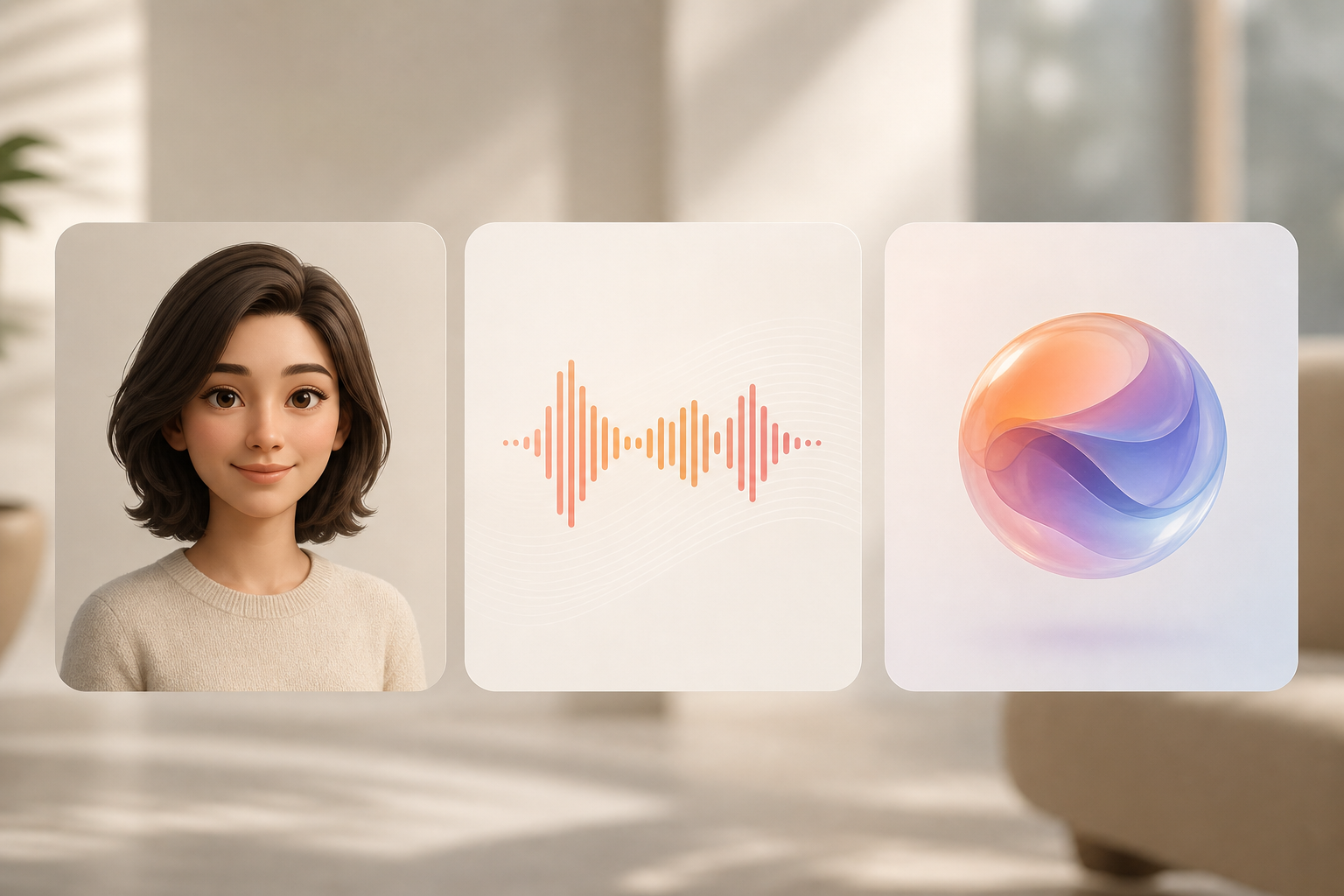 , Editing (captions, overlays), Distribution (multi-account, warm-up), with brief notes and icons)
What to Do This Week: Your AI UGC Launch Plan
Day 1.
Choose one module or outcome from your course. For a $297 productivity course, pick “10-minute daily reset.” Draft three hooks with the template above. Keep them punchy and plain.
Day 2.
Use a free trial of any AI avatar tool. Record the script with a mid-shot avatar, calm background, and direct eye line. Save one clean take.
Day 3.
Add burned-in captions. Drop in two b-roll shots of your course dashboard or a checklist. Add a CTA overlay by second 18: “First lesson free, link in bio.

Day 4.
Publish to your most active social account. Track first 3-second holds, watch-through, comments, and link clicks. Note any hook that keeps people through second 8.
Day 5.
Change the hook and avatar. Keep the rest the same so you can learn from the delta. Commit to testing, not perfection. The script is your lever.
Quick Notes Before You Scale
- Keep one change per version to learn fast.
- Save all files with version names, e.g., “HookA_AvatarCalm_CTAFree.
- Repost winners at new times and on fresh warmed accounts.

**Get a structured testing plan today →
Key Takeaways
- AI UGC helps you test more hooks for less money; start with 20 variations, not one.
- The script matters more than the avatar; write for one buyer and one objection.
- Warm up accounts and post with a plan before you scale to more profiles.
- Track early watch time and clicks, then iterate only the hook or CTA.
- Use a tool stack: generation + editing + distribution; no single tool does it all.
What to do this week: write three hooks, generate one 30-second avatar video, add captions and b-roll, post it, then make two more variants. Keep going until you have a clear winner, then scale it with structured distribution.
Social proof and compliance note: Social Reel Farm operates 1,000+ manually managed mobile accounts with structured account warm-up, systematic hook testing, and zero artificial engagement — a human-driven system designed for cross-platform deployment on Instagram and TikTok.